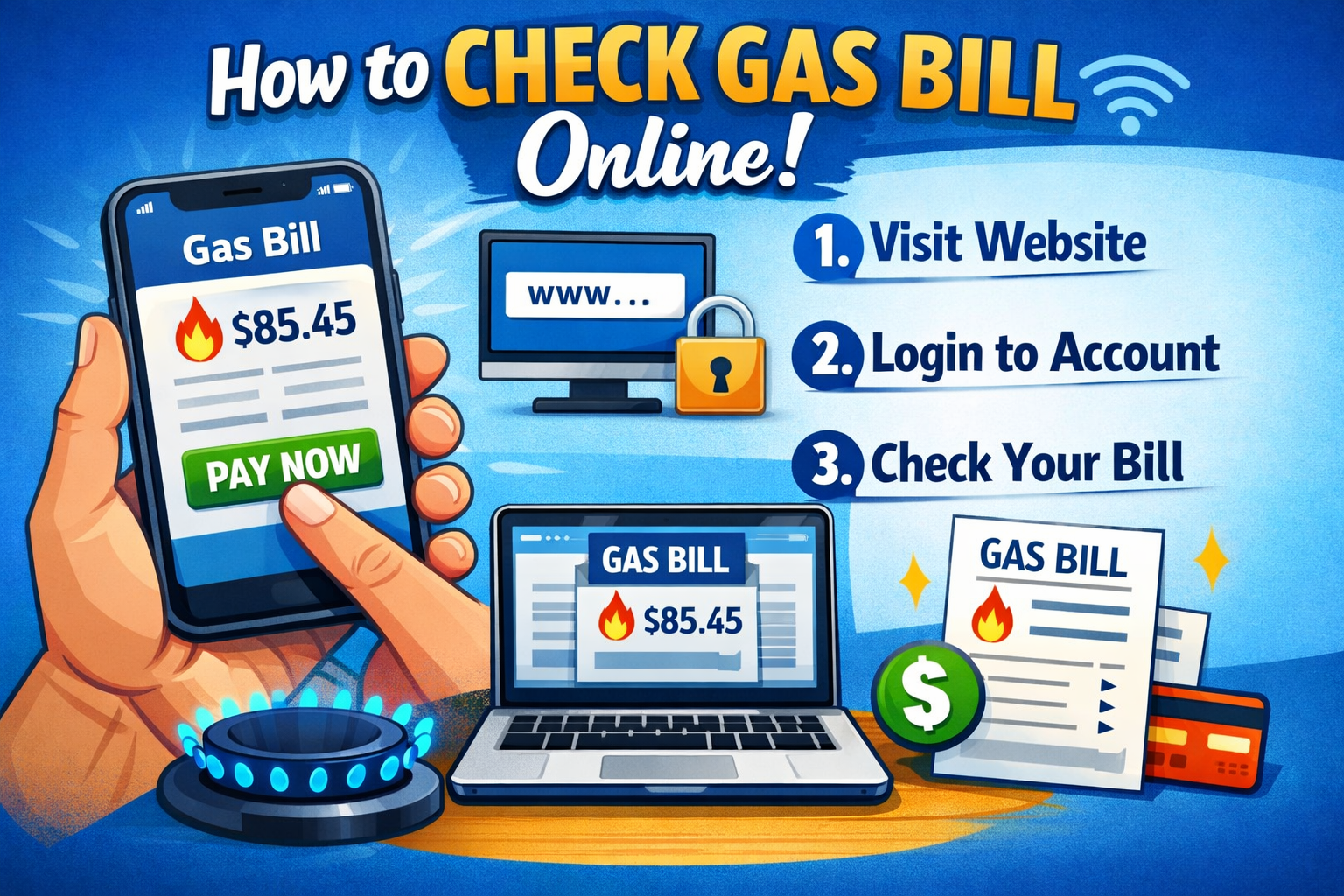
Managing utility bills used to mean waiting for the mailman or standing in long queues at the bank. Fortunately, digitization in Pakistan has made it significantly easier to handle household expenses from the comfort of your home. One of the most common utilities, natural gas, is supplied primarily by two major companies: Sui Northern Gas Pipelines Limited (SNGPL) and Sui Southern Gas Company (SSGC).
Whether you live in the bustling streets of Karachi or the cool hills of Abbottabad, checking your gas bill online is a straightforward process. This guide will walk you through the steps for both service providers, ensuring you never miss a due date again.
Understanding Your Service Provider
Before you can check your bill, you need to identify which company supplies gas to your region. Pakistan is divided into two main zones for gas distribution:
- SNGPL (Sui Northern Gas Pipelines Limited):Covering the northern region, including Punjab, Khyber Pakhtunkhwa (KPK), and Azad Jammu & Kashmir.
- SSGC (Sui Southern Gas Company): Serves the southern region, specifically Sindh and Balochistan.
Once you know your provider, checking your duplicate bill online takes just a few clicks.
How to Check SNGPL Bill Online
If you reside in cities like Lahore, Islamabad, Peshawar, or Faisalabad, you likely fall under the SNGPL network. Here is how you can view your bill:
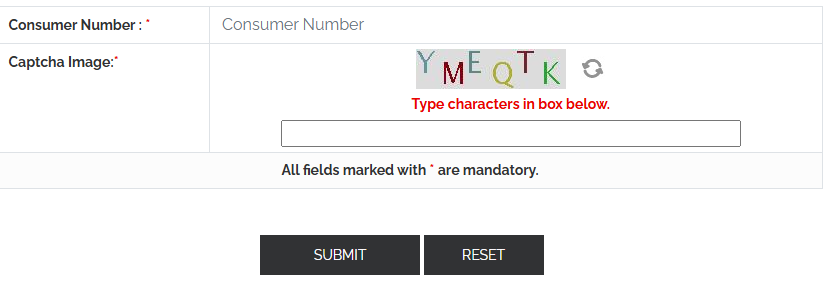
Step 1: Visit the Official SNGPL Website
Navigate to the official SNGPL website. Look for the tab labeled “Consumer Bill” or “View Bill.”
Step 2: Locate Your Consumer Number
To access your account, you need your unique Consumer Number. You can find this on any old physical copy of your gas bill. It is usually located at the top right or left corner of the document.
Step 3: Enter Your Details
Input your Consumer Number into the designated field on the website. You may be asked to solve a simple captcha or security question.
Step 4: View and Download
Click “Submit” or “Search” to display your latest bill. From here, you can check the due date, the payable amount, and even download a PDF version to print for your records.
How to Check SSGC Bill Online
For residents of Karachi, Hyderabad, Quetta, and other areas in the south, SSGC is the provider. The process is similar but requires slightly different information.
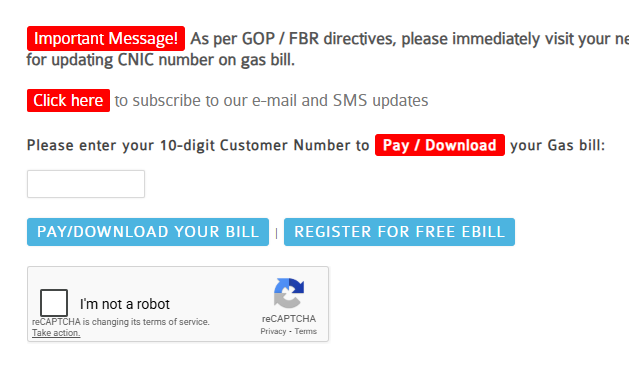
Step 1: Visit the SSGC Website
Go to the main SSGC website. Look for the “Pay/View Bill” or “Consumer Bill” section, which is typically found under the Customer Service menu.
Step 2: Find Your Customer Number
SSGC uses a 10-digit Customer Number. Like SNGPL, this is printed clearly on your previous physical bills. Ensure you have this number handy.
Step 3: Input Information
Enter the 10-digit number into the search box. Make sure you enter it correctly without spaces or dashes.
Step 4: Generate Bill
Click the button to generate your bill. You will see a digital replica of your monthly statement, including your current charges and arrears, if any. You can print this duplicate bill and use it to make payments at banks or via mobile apps.
Paying Your Gas Bill Online
Checking your bill is only half the battle; paying it is the other. Once you know the amount, you don’t need to visit a bank branch. Most Pakistani banks and digital wallets support utility payments.
- Mobile Banking Apps: almost all major banks (HBL, UBL, Meezan, etc.) allow you to pay utility bills directly from their apps. Select “Bill Payment,” choose your provider (SNGPL or SSGC), enter your Consumer/Customer number, and pay.
- Digital Wallets: Apps like Easypaisa, JazzCash, and SadaPay have dedicated sections for utility bills. These platforms often send reminders for future bills once you have paid through them once.
- ATMs: You can visit your bank’s ATM and pay your bill using your debit card.
Troubleshooting Common Issues
Sometimes, technology doesn’t cooperate.
“Record Not Found”
If the website says your record cannot be found, double-check your Consumer or Customer number. It is easy to mistype a digit. If the number is correct and you still can’t see the bill, it might be that the latest bill hasn’t been generated or uploaded by the company yet.
Website Downtime
Official utility websites can experience high traffic, especially near the start of the month. If the site is slow or crashing, try accessing it during off-peak hours, such as late at night or early morning.
Wrong Bill Amount
If the amount online looks incorrect compared to your meter reading, you can lodge a complaint through the respective company’s customer service helpline or their website’s complaint portal.
FAQs
1. How can I check my SNGPL gas bill online in Punjab?
You can easily check your SNGPL gas bill online by visiting the official website. Go to SNGPL Customers Portal, and log in or register with your account credentials. Enter your 14-digit account ID to view and download your current bill.
2. Is it possible to check my gas bill using my name for SNGPL?
No, gas bills for SNGPL customers in Punjab are not searchable by name. You need your 14-digit account number to access your bill online.
3. How do I check my SSGC gas bill online in Sindh?
To check your SSGC gas bill online, visit the SSGC bill portal. Enter your 10-digit customer number or reference number provided on your previous bill to view or print your current bill.
4. Can I use the same portal for both SNGPL and SSGC gas bill checking?
No, SNGPL and SSGC have separate portals for their respective regions. Use SNGPL portal for Punjab and SSGC portal for Sindh.
5. Can I check my gas bill for future dates like 2026?
No, gas bills can only be checked for the current month or previous months. Future bills, such as for the year 2026, will not be available to view or download in advance.
6. What should I do if my gas bill is not showing online?
If your bill does not appear on the portal, make sure you have entered the correct account ID or customer reference number. If the issue persists, contact the SNGPL helpline for Punjab or the SSGC helpline for Sindh for assistance.
7. Is it safe to check my gas bill online?
Yes, both SNGPL and SSGC portals provide secure platforms for their users. Ensure you access only the official websites to avoid any fraudulent activity.
Stay on Top of Your Utilities
Accessing your SNGPL or SSGC bill online is a simple habit that saves time and helps you avoid late payment surcharges. By using the official websites and digital payment methods available, you can manage your household finances efficiently without leaving your home.
Whether you are in the north or the south, keeping your Consumer Number saved on your phone or computer will ensure that checking your gas bill takes only seconds next month.